


4.07Mb (443 downloads)
P3D FS2004 FSX Flight Analyzer Utility V5.10
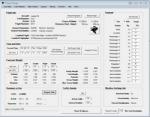
Flight Data Recorder - Logbook.
NOW also P3D supported.
Very easy to use, just make a flight plan in the simulator or in this utility.
What this program does:
- quickly change the settings of FSX/Fs2004, such as time, date, fuel, weight, traffic etc.
- start a failure sytem, such as gear, flaps, engine, etc.
- freeze the time, so you can fly in a for everlasting sunset.
- runway detecting system to see wich runways are in use.
- flight analyzing/data recording from departure to parking at the gate.
- When flight analysis is finished you can print a report, the report is automaticly saved as pdf File.
- graphical landingchart.
- record all your flights
- quickly look to your FSX display settings (only FSX) and change them even before the flight simulator is running.
- After a flight is finished FsQC saves your flight automaticly as 'FsQC last Flight', so you can continue the next day or hour.
Posted May 3, 2019 06:35 by Evander Tholen
36.91Mb (373 downloads)
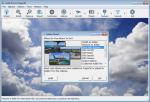
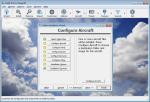
SHAREWARE: Addit! Pro is a comprehensive addon manager for Lockheed Martin's Prepar3D. Easily install, manage and remove aircraft, adventures, flights, flight plans, gauges, missions, panels, AI airport and facilities data, scenery, sounds, textures, videos, weather and more! Simple wizard-based interface makes installing and removing addons a breeze. Comprehensive addon management allows you to archive, rebuild and remove addons. Addit! Pro is fast and easy--no unzipping or file copying is necessary. Modify all aircraft, panels, sounds and scenery. Let Addit! Pro tackle the tough chores and spend your time flying. Shareware--please register to install an unlimited number of add-ons. Supports Prepar3D v4, v3, v2, and v1. By Joseph Stearns. SHAREWARE with limit on options until paid.
Posted Apr 4, 2019 13:40 by Joseph Stearns
69.58Mb (2050 downloads)
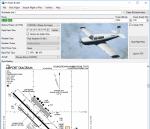
New version: Updated installer and auto-update functionality along with chart downloaded changes to support browser updated security measures. FS Flight Builder is a utility for general aviation flying that will build flight files for FSX (flt), FSX Steam Edition (flt), and Prepar3D (fxml) based on waypoints and other data either entered manually or imported from SkyVector using the Plain Text Link information. Among other things, you can select your starting position, aircraft, and VFR or IFR flight plan. One of the most interesting features of the application is that it will include a Briefing file, added to the aircraft's built-in kneedboard, that will include departure and destination airport information (runways, frequencies, weather, and charts) as well as navigation frequencies along the route. Have you ever started up flight simulator and wondered “where do I want to go today”? The new Destination Chooser functionality can help to solve that problem. The screen allows you to enter your departure airport and choose various parameters for your destination (like min and max distance, tower availability, ILS availability, runway length requirements, etc.). How to install: Run Setup.exe and simply follow the installation wizard. When you run the application for the first time (make sure your flight simulator is not running), it will build the database from your flight sim data. Be patient. It could take a few minutes. It will attempt to locate your flight sim folder and flight plan folders automatically. If it can't find them, however, you'll need to select them from the options menu. IMPORTANT! Because FS Flight Builder saves to your Flight Sim directories, it MUST be run in Administrator mode. To do this, right-click on the desktop icon, select the Compatibility tab, and check the Run as administrator checkbox. IMPORTANT! The airport and navaid databases for FS Flight Builder are built using Peter Dowson's excellent Make Runway utility and the equally excellent BGL2XML utility from ScruffyDuck Software. The links to these utilities are below. They must be added to the main FSX or Prepar3D folder. Peter Dowson's website: http://www.schiratti.com/dowson.html ScruffyDick Software website: http://www.scruffyduck.org/bgl2xml/4584282773 It's also important to note that Version 1.7 of BGL2XML is required for Prepar3D V3 and higher. Author: Tom Arduini The latest installer can always be found at http://www.arduiniwebdevelopment.com/fsflightbuilder/fsflightbuilder.zip
Posted Dec 23, 2018 19:04 by Tom Arduini
33.72Mb (161 downloads)
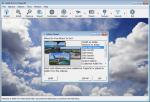
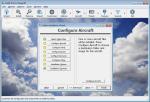
Demo - Free for limited time use. Addit! Pro is a comprehensive addon manager for Lockheed Martin's Prepar3D. Easily install, manage and remove aircraft, adventures, flights, flight plans, gauges, missions, panels, AI airport and facilities data, scenery, sounds, textures, videos, weather and more! Simple wizard-based interface makes installing and removing addons a breeze. Comprehensive addon management allows you to archive, rebuild and remove addons. Addit! Pro is fast and easy--no unzipping or file copying is necessary. Modify all aircraft, panels, sounds and scenery. Let Addit! Pro tackle the tough chores and spend your time flying. Shareware--please register to install an unlimited number of add-ons. Supports Prepar3D v4, v3, v2, and v1. By Joseph Stearns.
Posted Aug 24, 2018 08:55 by Joseph Stearns

45.20Mb (1826 downloads)
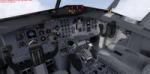
FSX/P3D (incl. v4) Boeing 727-100 United Airlines 'Friend Ship' package with VC. United Airlines is the world's 3rd largest airline and began in 1926 by Walter Varney as an air taxi sercice and trading as Varney Air Lines. United operated the Boeing 727-100 between 1963 and 1993 when they were replaced with Boeing 737-500.
Boeing 727-100 model by TDS/ Tenkuu Developers Studio with Thomas Ruth 727 VC added. Includes utility for ground services, Passenger bus, cargo, stairs, refuelling truck etc (find it under - Views - Instrument panel - Util)
The wonderful native FSX Boeing 727-100 from TDS will be enjoyed by many more people who do not know how to install a VC into a FSX native model.
The VC includes working wipers, Honeywell FMC and more. See Panel manual for more info.
I have used the great realistic textures by Luis Castro.
Thomas Ruth VC added and aircraft.cfg edited to allow correct VC views and wheel levels.
Assembled and prepared for P3D/FSX by Chris Evans.
Posted Jul 31, 2018 10:53 by chris evans
27.99Mb (1577 downloads)
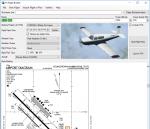
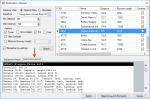
FS Flight Builder is a utility for general aviation flying that will build flight files for FSX, FSX Steam Edition, and Prepar3D based on waypoints and other data either entered manually or imported from SkyVector using the Plain Text Link information. Among other things, you can select your starting position, aircraft, and VFR or IFR flight plan. One of the most interesting features of the application is that it will include a Briefing file, added to the aircraft's built-in kneeboard, that will include departure and destination airport information (runways, frequencies, weather, and charts) as well as navigation frequencies along the route. Have you ever started up flight simulator and wondered “where do I want to go today”? The new Destination Chooser functionality can help to solve that problem. The screen allows you to enter your departure airport and choose various parameters for your destination (like min and max distance, tower availability, ILS availability, runway length requirements, etc.).
Posted Jul 30, 2018 09:07 by Tom Arduini
1.08Mb (1109 downloads)
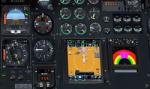
NpC4FSX&P3D (NumberPadControl) is a more efficient (and more convenient to set up)
version of a similar program called NumberPadControl that I wrote a few years ago and which to
my surprise PC Pilot magazine included on their 100th Anniversary edition Freeware CD. With
NpC4FSX&P3D you assign keys to functions like Com, Nav, Heading, Course, Altitude, VS,
Autopilot functions, etc., and then can enter the associated values just by typing on the
keyboard’s numberpad instead of fiddling with elusive mouse click spots. NpC4FSX&P3D is
programmed primarily for aircraft with avionics that were developed within standard FSX
programming guidelines but also supports third party add-
on aircraft such as the Flysimware L35A and MU2, PMDG 737NGX / B777, Flight1 King Air
B200, A2A Cherokee 180, and also works with GPS units like the GTN750. Setup manual included.
A registered (payware) copy of FSUIPC is required.
Posted Feb 18, 2018 10:34 by Al Klayton
0.16Mb (685 downloads)
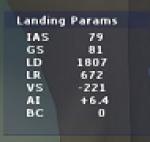
Landing_Params is a Lua script for FSX/P3D that displays landing parameters in a small text window that pops
up after the aircraft has landed and reached taxi speed. The script should be activated with a key or button (like the gear
down key/button) during the approach to landing. Parameters displayed in the window at touchdown are
Indicated Airspeed (IAS, Kts), Ground Speed (GS, Kts), Landing Distance (LD, ft), Landing Roll (LR, ft), Vertical
Speed (VS, ft/min), Attitude Indicator pitch at touchdown (AI), and Bounce Count (BC). Data collection begins
when the a/c passes through a radar altimeter determined threshold altitude window between 45 and 55 ft
(i.e., the nominal 50ft threshold height). In addition, more detailed landing parameter information may be
logged. A registered copy of FSUIPC is required to execute the Lua script.
Posted Feb 17, 2018 12:02 by Al Klayton

0.77Mb (743 downloads)
Kneeboard Viewer 2 (KV2) allows the user to open one or two ‘on-top-windows’ to view programs of choice, such as a web page like SkyVector, or a pdf reader for approach charts, in ‘kneeboard windows’ on top of FSX/P3D/X-Plane. The kneeboard windows may be sized and positioned as desired, and will stay visible on top of FSX/P3D/X-Plane while you fly, or may be toggled on and off (shown or hidden) by user selectable keys (or key combinations). There is also an option to control both kneeboard windows together as a unit with a single key. KV2 works in window or full screen mode with FSX/P3D/X-Plane. KV2 was developed as a possible replacement for the PDFkneeboard program which, unfortunately, does not currently work in the latest versions of P3D. However, KV2 does not depend on FSX, P3D or X-plane in any way, and in fact can be used as a general ‘window-on-top’ type of utility. Al Klayton
Posted Feb 11, 2018 20:15 by Al Klayton
30.60Mb (328 downloads)
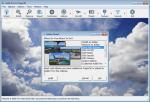
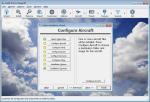
Addit! Pro is a comprehensive addon manager for Lockheed Martin's Prepar3D. Easily install, manage and remove aircraft, adventures, flights, flight plans, gauges, missions, panels, AI airport and facilities data, scenery, sounds, textures, videos, weather and more! Simple wizard-based interface makes installing and removing addons a breeze. Comprehensive addon management allows you to archive, rebuild and remove addons. Addit! Pro is fast and easy--no unzipping or file copying is necessary. Modify all aircraft, panels, sounds and scenery. Let Addit! Pro tackle the tough chores and spend your time flying. Shareware--please register to install an unlimited number of add-ons. Supports Prepar3D v4, v3, v2, and v1. By Joseph Stearns. SHAREWARE with limit on options until paid.
Posted Jan 11, 2018 16:54 by Joseph Stearns