


1.22Mb (2651 downloads)
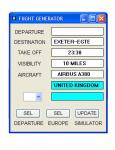
This is a utility that randomly generates UK and European flights for FS2004 and then updates the simulator so you can read the information without having to exit.
The program will select a departure airport if you wish and give you the option of choosing between European or UK only flights. All aircraft, take-off times and
visibility distances are generated at random, but allowances have been made to ensure large aircraft will not be allowed to operate in small airports, and carrier
borne aircraft only are designated to aircraftcarriers. A dropdown menu displaying
the two digit ID start codes of all European countries is included.
Posted Mar 12, 2010 06:38 by jim palmer
1.25Mb (4869 downloads)
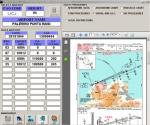
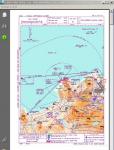
Updated with fixes. The new ChartMap_ver4 is a program completely rebuilding with a new graphics power and a new database. Now is possible to use the PDF format for every kind of charts. You can everywhere download it. The important thing is to use the conventional letter below in this tutorial (vds restrictions). Differences with the previous version: This is a new program. ChartMap_ver4 is a small 'stand-alone' Windows utility for Flight Simulators allowing a number of airport charts to be stored and available on screen whilst still flying. In This zip file I inserted all the Italian Airport Charts and Procedures.
Posted Feb 25, 2010 07:33 by Carlo Chiappisi
0.73Mb (2332 downloads)
Get the ICAO code of an airport. This version correct a bug of the version 2_0. Now there is the possibility to find another code or airport without have to close the 'box' and start again each time.
Posted Feb 20, 2010 18:09 by Carlo Chiappisi
5.93Mb (3765 downloads)
Adding Smoke Effects to FS2004 Scenery - An Illustrated Tutorial. This Tutorial will show you, step by step, how to add smoke effects to scenery objects such as factory smokestacks, chimneys on houses and even the stacks on static ships. No programming knowledge is required. Please unzip to a temporary folder and follow the instructions. If I can do it, anyone can do it. Compiled in DOC and PDF formats for your flying enjoyment by David "Opa" Marshall.
Posted Jan 30, 2010 07:55 by David Opa Marshall
0.22Mb (5278 downloads)
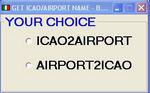
Differences among the version 1.0 and the version 2.0
The vers.2.0 differ from the version 1.0 for the possibility of work in reverse mode.
You can choice among icao2airport and airport2icao.
It is possible to find the Airport Name from the Icao Code and It is possible to find the Icao Code from the Airport Name.
THE LAST iCAO CODE IN ICAO2AIRPORT IS THE F.I.R. (FLIGHT INFORMATION REGION) WHERE IS THE AIRPORT.
Posted Jan 7, 2010 10:11 by Carlo Chiappisi
0.05Mb (4316 downloads)
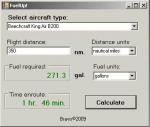
FuelUp! Fuel and ETE(time enroute) calculator for Microsoft Flight Simulator
By Dmitry Stepin aka Bravo.
Posted Jan 6, 2010 05:22 by Dmitry Stepin
0.88Mb (4518 downloads)
FSX/FS2004
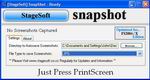
'Snapshot' Screenshot Utility. v4
Take screenshots of FS2004/X With just a push of 1 button on
your keyboard (Print Screen) and SnapShot does the rest! You
don't even have to pause FS. Just press PrintScreen while in
game, and SnapShot automatically saves each numbered screenshot
to your chosen directory. v1.4 - Also works on Windows Vista
aswell as Windows XP and others!Requires .Net Framework to be
installed. (here).
1.2K
Posted Oct 23, 2009 04:43 by archive
1.49Mb (6253 downloads)
FS2000-FS2004
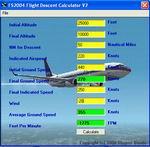
Descent Calculator Version 2
Simple calculator to find the rate of decent to a to start descending.
By Shayne Bouda. 1.5MB
Posted Oct 17, 2009 05:55 by archive
0.19Mb (7440 downloads)
FS2004
AutoLand Gauges Version 2.1.
Provides full hands-off autoland capability for all airliners.
Simple installation. By Martyn Becker, adapted and amended from
original XML programming by Nick Pike. 198K
Posted Oct 17, 2009 05:55 by archive
0.02Mb (3344 downloads)
FS2004
Delete Default AI Traffic Utility.
This handy little tool will prevent the fictional default aircraft
in FS2004 from flying as AI Traffic – so you can be sure
that 100% of your traffic is realistic. All you have to do is
run the program, choose which Drive FS2004 is installed on and
click the button,and it will delete the traffic file, so the
Default FS2004 Aircraft won’t fly as AI Traffic. By StageSoft.
24K
Posted Oct 17, 2009 05:55 by archive